
Best CV Fonts and Formatting: The Complete 2026 Guide
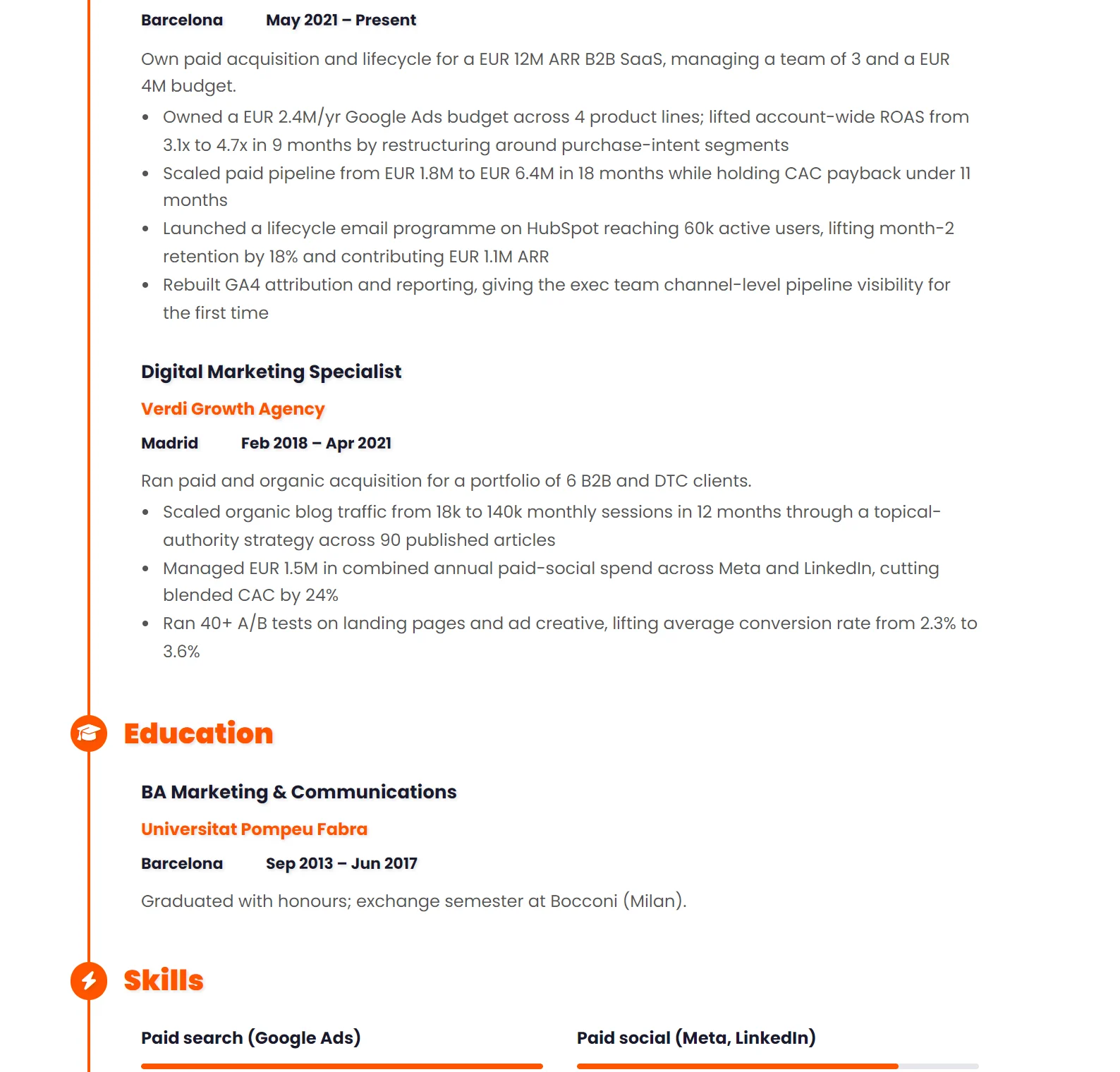
Use Calibri, Arial, Helvetica, Open Sans or Roboto for a sans-serif, or Garamond, Cambria or Georgia for a serif. Set body text at 11pt, line spacing at 1.15 and margins at 1.5-2 cm, and you are done deciding. Font and formatting choices on a CV are small decisions that compound. No font alone will get you hired, but the wrong font can quietly lose you the interview by making your CV look amateur, unreadable, or dated. Spending hours debating fonts is wasted effort — this guide gives you the safe answers so you can stop deciding and start applying.
The formatting spec
| Type sizespoints |
|
|---|---|
| Spacingthe invisible half |
|
| Restraintwhat not to spend |
|
If the CV runs one line too long, take it from the margins or the line spacing before you drop the body text. Under 10pt is where readability actually breaks, and a cramped page is more obvious than a slightly fuller one.
Font choice — the only six fonts you actually need to consider
Out of 50,000 fonts that exist, exactly six are professionally safe for a CV. Pick one from the list below and move on. Any of them is defensible; the differences between them are smaller than candidates think.
The safe modern sans-serif options
Sans-serif fonts read well on screen, scale cleanly when zoomed, and are the default for most modern templates. These five are all safe:
| Font | How it reads |
|---|---|
| Calibri | Microsoft Word's default, reliable, slightly informal in feel |
| Arial | older but always safe, very high readability, slightly heavier on the page |
| Helvetica | the design-world default, slightly more refined than Arial |
| Open Sans | free Google font, slightly more modern than Calibri |
| Roboto | free Google font, designed for screens, popular in tech industry CVs |
The safe traditional serif options
Serif fonts feel slightly more traditional and work well for finance, law, academia, government, and senior leadership roles. Three solid choices:
- Garamond — elegant, slightly more compact than the others (fits more content per page)
- Cambria — designed for screen readability, looks professional without being old-fashioned
- Georgia — designed specifically for screens, holds up well at small sizes
- Times New Roman — universally available but reads as 'default', which signals you didn't think about it. Use as a last resort
Fonts to actively avoid
Some font choices kill an otherwise-good CV before the reader gets past the name. Avoid all of these:
| Font | Why to avoid it |
|---|---|
| Comic Sans, Papyrus, Brush Script, anything decorative or script-like | reads as unprofessional regardless of the rest of the CV |
| Courier | looks like a typewriter; works only for code samples, not body text |
| Impact | too heavy for body text; only usable for one or two big numbers |
| Arial Narrow or any condensed font | cramped and hard to scan |
| Tahoma, Verdana | dated; signal that the CV was last touched a decade ago |
| Anything that came with a free CV template you found on Pinterest | these are usually decorative fonts that fail ATS parsing |
Sizing — the numbers that make a CV readable
Size choices are decided to the point. There's a narrow band that works and wider variations that don't. The specific rules below are what professional CV templates actually use:
- Body text: 10-12pt, with 11pt as the sweet spot for most fonts
- Section headings (Experience, Education, Skills): 13-15pt, bold or semibold
- Your job titles within the experience section: 11-12pt, bold (or same size as body but in bold/italic)
- Your name at the top: 18-24pt, bold — the biggest thing on the page
- The headline role under your name (e.g. "Senior Product Manager"): 12-14pt, regular weight
Don't go below 10pt to fit more content on the page. If it's hard to read on a phone, it won't be read. Don't go above 12pt for body text either; it makes the CV look like it's compensating for thin content. The 11pt body / 14pt heading / 22pt name pattern works for almost every template — start there and adjust by half-points only if something visibly doesn't fit.
Every template here already uses sizes that survive a printSpacing — the invisible thing that makes a CV feel competent
Spacing is the difference between a CV that looks busy and one that looks professional, even with identical text. Recruiters can't always articulate why a CV feels organised, but they can feel it instantly. Three numbers to get right:
Line spacing
1.15-1.25 for body text. Default single spacing (1.0) feels cramped on a CV; 1.5 feels stretched and wastes precious page real estate. 1.15 is the safe default that lets bullets breathe without giving anything away.
Margins
1.5-2 cm (0.6-0.8 inches) on all four sides. Tighter margins (under 1 cm) look cramped and signal you're trying to fit too much. Wider margins (over 2.5 cm) waste real estate and make the page look thin. If you're at 1 cm margins and still overflowing, the answer is cutting content, not shrinking margins further.
Section gaps
12-16pt of space above each section header. Within a section, 6-8pt between entries. This visual rhythm is what lets the eye find each section in under a second on the second-pass scan. Without it, the page reads as one solid block regardless of how good the content is.
Visual hierarchy — making the reader's eye land in the right place
A recruiter's eye doesn't read your CV top-to-bottom. It scans for visual cues — bold text, larger fonts, white space — and jumps to whatever stands out. Your job is to make sure the things that stand out are the things you want read.
- Section headers (Experience, Education, Skills) should be visibly bigger and/or bolder than body text — that's how the reader navigates
- Within each role: job title bold, company name regular weight (or the reverse — pick one convention and apply it consistently across all roles)
- Dates right-aligned on the same line as the company/role, in regular weight — they're scannable but shouldn't pull focus
- Use bullets, not paragraphs, for experience descriptions. The eye scans bullets; it bounces off paragraphs
- Left-align all body text. Justified text creates uneven word spacing that reads slower
- Bold no more than 5-10% of the words on the page. Bold-everything is the same as bold-nothing — the eye stops registering it
Color — the rule of one accent
A CV can have exactly one accent color. Used sparingly, it gives the page personality without screaming for attention. Used everywhere, it makes the CV look like a children's poster. The rules:
- One accent color, used on no more than three elements: typically your name, the section headers, and (optionally) a thin divider line
- Body text in black or dark grey (#111 to #333). Never light grey — it washes out in print
- Safe accent colors: navy blue (#1e3a8a), dark green (#0f5132), burgundy (#7c2d12), muted teal (#0f766e)
- Colors to avoid: bright red (alarming), orange (overly casual), yellow (unreadable on white), bright purple or pink (unprofessional in most contexts)
- If your industry is conservative (law, finance, government), use no accent color at all. Black on white is timeless and never wrong
Print your CV in greyscale to check. If it still reads well without color, the design is solid. If removing color makes it suddenly look amateur, the color was doing too much work — fix the structure instead.
Adding a photo? The country-by-country CV photo guideATS-safe formatting rules
ATS systems parse your CV before any human reads it. The system reads top-to-bottom, left-to-right, treating the document as one long flowing column. Anything that breaks that flow risks getting your information misread or lost entirely. The rules:
- No tables for layout. Some ATS parse tables correctly; many don't. The risk isn't worth the visual gain
- No text boxes — these are often skipped entirely during parsing
- No information in headers or footers — these are frequently missed. Put contact info in the document body
- No graphics for important info. Your phone number should be text, not an icon-with-number image
- No icons replacing words for section headers — "📞 Phone" might parse, but "📞" alone won't
- Standard section headings ("Experience", "Education", "Skills") — not "My Journey" or "What I Bring". The ATS is looking for exact phrase matches
- Single column layout is safest. Two-column layouts work if the sidebar contains only redundant or secondary info; never put critical content (work history, skills) in a sidebar
- Save as PDF, not Word. PDF preserves your formatting; Word files can render differently on different systems
Template choice — the meta-decision that affects everything else
All of the above only matters if the template you start from doesn't fight you. A bad template forces compromises on every other decision; a good one makes most of these choices for you. Two questions to ask before picking one:
One column or two?
One-column templates are ATS-safer and read more naturally for the eye. Two-column templates can look more modern and fit slightly more content, but require careful design to keep critical info out of the sidebar. The rule: if you're applying to anything corporate (consulting, finance, big-tech), one column. If you're applying to design, marketing, or creative roles where the visual matters, two columns can work — but never put your work history or contact details in the sidebar.
Photo or no photo?
Country-specific. In the US, UK, Canada, Australia, and Ireland — no photo. Including one risks introducing bias and is widely considered unprofessional. In most of continental Europe (Germany, France, Italy, Spain, Romania, Poland), a professional headshot is expected and a CV without one looks incomplete. Match local convention.
Pre-send formatting checklist
Before clicking submit, scan through this list. Most candidates have 2-3 violations on their first audit; fixing them takes 5 minutes and visibly lifts the page:
- One font (or at most two — heading + body)
- Body text 10-12pt, headings 13-15pt, name 18-24pt
- Line spacing 1.15-1.25, margins 1.5-2 cm
- Section headers visibly bigger or bolder than body text
- Bullets used for experience descriptions, not paragraphs
- Left-aligned body text (not justified)
- One accent color max, used on no more than three elements
- No tables, text boxes, headers/footers for important info
- Standard section headings (Experience, Education, Skills)
- Saved as PDF, filename FirstName-LastName-CV-CompanyName.pdf
- Single column, OR two columns with sidebar containing only secondary info
- Photo follows local convention (Europe yes, US/UK/Canada no)
Formatting won't make a weak CV strong, but bad formatting makes a strong CV look weak. The 30 minutes you spend getting this right pays off across every application — unlike content tailoring, formatting decisions are made once and ride along forever.
Now make sure the underlying content holds up to the formatting workFrequently asked questions
What is the best font for a CV?
Calibri, Arial, Helvetica, Garamond, Georgia or Cambria. All six are readable on screen, print cleanly and exist on virtually every machine, so nothing gets substituted on the way. Avoid anything decorative, condensed or handwriting-like, and never use Comic Sans or Papyrus.
What font size should a CV be?
Body text at 10 to 12 points, section headings two to four points larger, and your name around 18 to 24. Below 10 points you are shrinking the type to hide a length problem, and recruiters notice. Fix the length instead.
Should a CV use one column or two?
One, in almost every case. Two-column layouts look organised to a human and often read as scrambled to an applicant tracking system, which may take them left to right across both columns. If you want visual structure, get it from spacing and headings rather than columns.
How much white space should a CV have?
Enough that the page never looks like a wall. Margins of 1.5 to 2 cm, a clear blank line between roles, and consistent spacing above and below every heading. A slightly shorter CV with room to breathe gets read further than a dense one that fits more.